
If you are an eBird user, you can have NatureCounts automatically send your CBC checklists to eBird. To do this, you will need to enable the feature on your NatureCounts profile.
To access your profile on the NatureCounts website, log in and click your username in the top right, then click “Profile”. Scroll down to the eBird Exports section. Enter your eBird login credentials in the appropriate boxes and select “Yes” to automatically push your NatureCounts data to eBird.
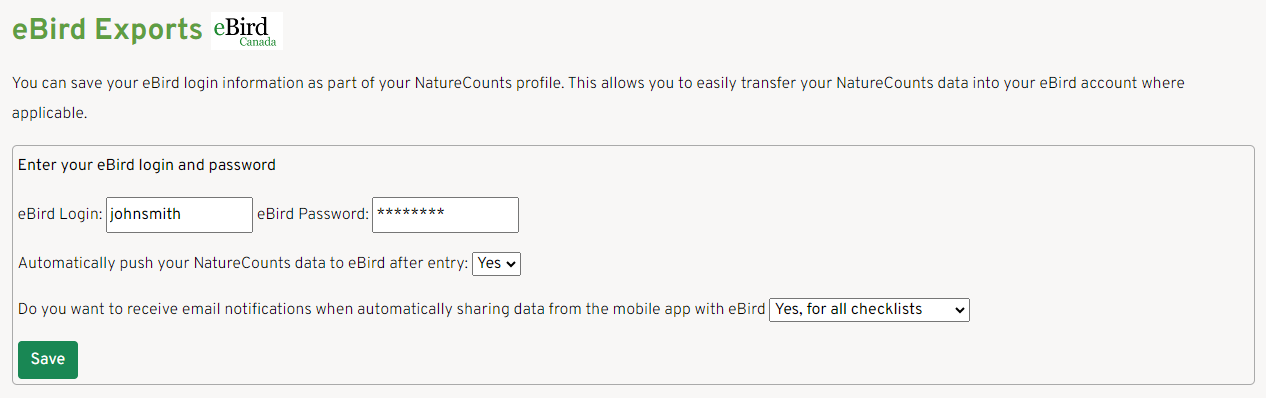
You may choose to receive email notifications whenever a checklist is automatically shared by selecting “Yes, for all checklists” in the final dropdown. You may also choose to be notified only if sharing failed, or not at all. Once you have finished your selections, click “Save”.
Next section: Starting a Checklist