
The NatureCounts app is available for iOS devices like iPhone or iPad, and Android phones or tablets. You can download it for free from the App Store on iOS or Google Play on Android.


Simply click the buttons above, or search for “NatureCounts” in the App Store or Google Play and look for the Canada Jay logo on a yellow background. Once you have located the app, tap the “get” or “install” button to download it.
To use the NatureCounts app, you will need an account. If you have used NatureCounts for any other project, or if you have an account for Motus or Birds Canada Learn, you do not need to create a new account. If you do not already have one, create an account by clicking “Sign Up” on the NatureCounts website or app login screen, or by visiting https://naturecounts.ca/nc/default/register.jsp.
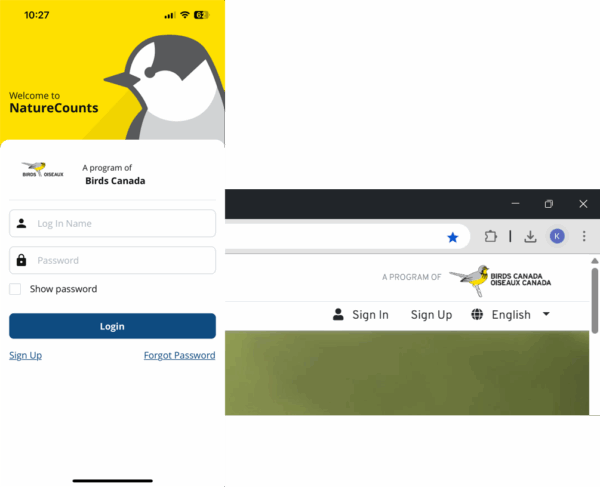
Once you have downloaded the app and created a NatureCounts account, you are ready to sign in! Locate the app on your phone and tap it to open. The first screen will prompt you to sign in using your NatureCounts username and password.
Next section: Registering for the CBC